Color Temperature and White Balance Explained
Author: Fiat Lux Guides Editorial Team Reviewer: Fiat Lux Guides Editorial Team Most recently reviewed First published Filed under Color and White Balance
Color temperature measures the warmth or coolness of a light source in Kelvin (K), while white balance is the camera adjustment that makes neutral white objects appear white under that light. Matching your white balance preset or Kelvin value to the dominant light source prevents orange indoor casts, blue shade casts, and unnatural skin tones.
Checked by Fiat Lux Guides’ editorial desk against the cited sources.
Every light source has a color cast, even when your eyes treat it as “white.” Because the human brain automatically adapts to different rooms and outdoor skies, you rarely notice that an indoor lamp looks orange or that outdoor shade looks blue—until you look at a photo or video clip.
Color temperature measures that warm-to-cool color shift in Kelvin (K), and white balance is the camera setting that compensates for it so white objects look neutral and skin tones stay natural.
What color temperature means on the Kelvin scale
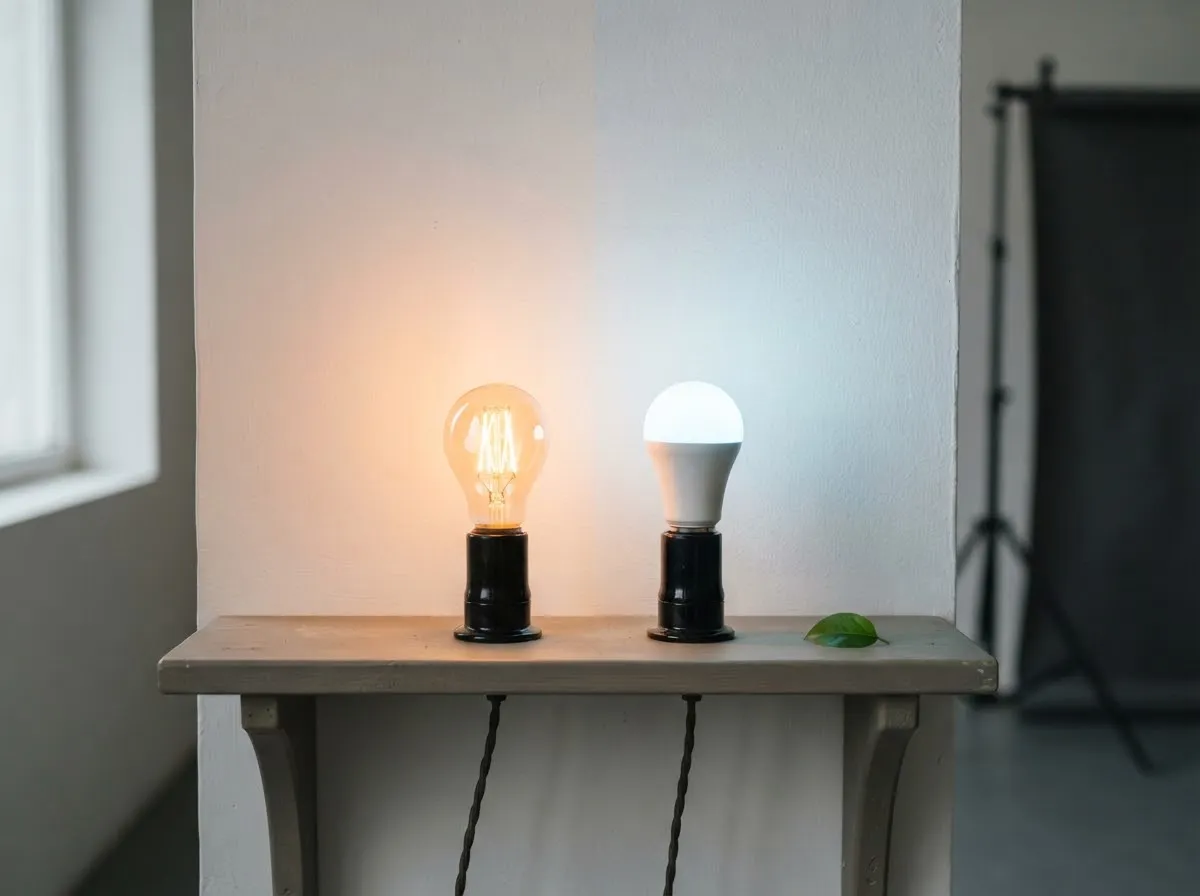
Color temperature comes from physics: if you heat an idealized blackbody radiator, it glows red-orange at lower temperatures and shifts through yellow-white to blue-white as temperature rises. That is why lower Kelvin numbers (2700 K–3200 K) describe warm orange light, while higher Kelvin numbers (6000 K–7000 K+) describe cool blue light.
Camera manuals map common shooting environments directly to approximate Kelvin values. Canon’s EOS R6 manual, for example, lists these reference points:
- Tungsten light: ~3200 K (warm indoor incandescent/halogen)
- White fluorescent light: ~4000 K
- Daylight: ~5200 K (direct sun in fair weather)
- Cloudy, twilight, sunset: ~6000 K
- Shade: ~7000 K (cool blue skylight in open shade)
You can inspect these color shifts visually and calculate mired shifts between two light sources with our Kelvin color temperature chart and light matcher, or read the full breakdown in what is color temperature in photography.
How camera white balance works
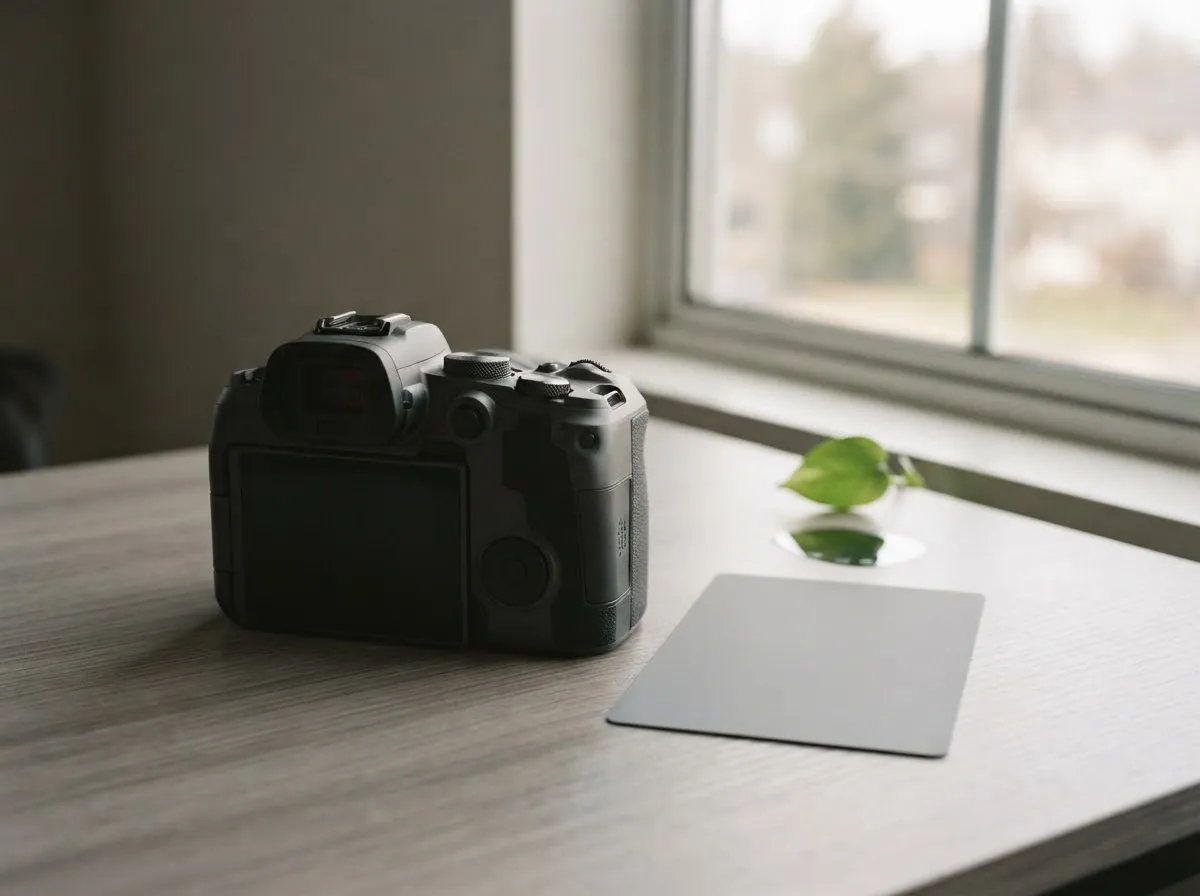
Digital cameras—as explained in both Canon’s White Balance manual and Sony’s Help Guide—use white balance processing to neutralize the color cast of the scene light. Because the camera applies the opposite color to cancel out the light source:
- Selecting a low Kelvin value (such as Tungsten / 3200 K) tells the camera the light is very orange, so the camera adds blue to cool the image down.
- Selecting a high Kelvin value (such as Shade / 7000 K) tells the camera the light is very blue, so the camera adds amber/orange to warm the image up.
This inverse relationship trips up almost every beginner at first. If your indoor video looks too orange on Daylight (5200 K), you do not raise the camera’s Kelvin number—you lower it toward 3200 K so the camera cools the scene back to neutral.
Auto White Balance vs. presets vs. Kelvin
- Auto White Balance (AWB): Measures the scene automatically (for example, 3000–7000 K on Canon bodies). Many cameras offer Ambience priority (keeps a gentle warm feel indoors) and White priority (pushes whites closer to neutral). AWB is convenient for run-and-gun stills, but it can drift mid-shot in video if you move or wear brightly colored clothing.
- Presets (Daylight, Shade, Cloudy, Tungsten, Fluorescent): Lock the camera to a fixed color target so skin tones stay consistent across a whole series of shots.
- Manual Kelvin (Color Temperature): Lets you dial an exact value—typically 2500 K to 10000 K—when you know your LED fixture’s rated CCT.
- Custom White Balance: Photographs a neutral white or gray reference card under your exact scene light to calibrate both Kelvin and green/magenta tint at once.
Learn when to switch off Auto in white balance explained: settings and when to change them.
Beyond Kelvin: green/magenta tint and CRI vs. TLCI
Kelvin only describes color along a warm-to-cool (amber-to-blue) line. Light sources can also lean green or magenta perpendicular to that line—a shift common in older fluorescent tubes and low-cost LEDs.
That is why lighting manufacturers list color-rendering scores alongside Kelvin:
- CRI (Color Rendering Index): Measures how faithfully a light reveals colors to the human eye compared to a reference source.
- TLCI (Television Lighting Consistency Index): Defined by the European Broadcasting Union in EBU Tech 3355, TLCI models how a digital camera sensor and broadcast chain respond to the light’s spectrum. Studio LEDs such as Aputure’s Light Storm series publish both ratings (for instance, CRI ≥ 95 and TLCI ≥ 98) so filmmakers know skin tones and saturated colors will not shift unexpectedly on camera.
Handling mixed lighting in a room
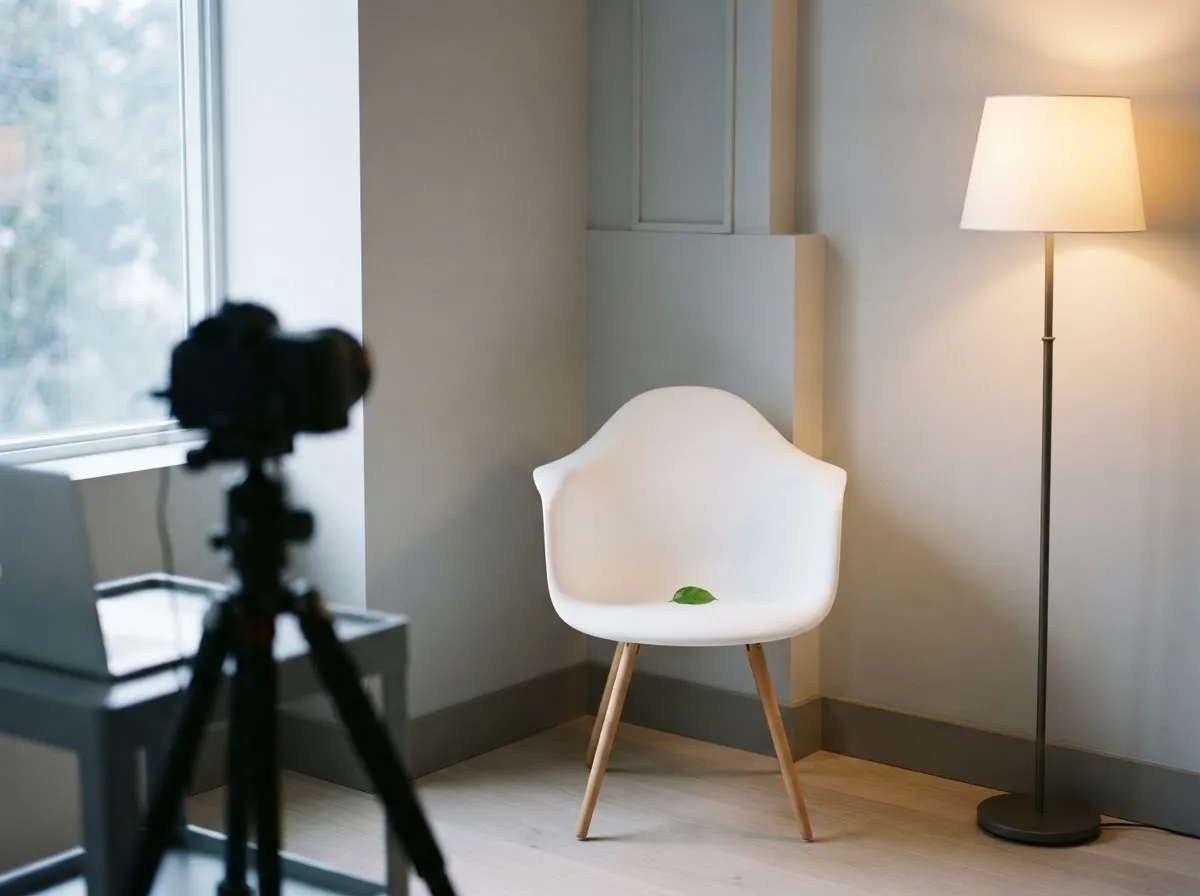
The most common color problem in home photography and video lighting setups is mixed lighting—for example, shooting next to a ~6000 K window while a ~3000 K ceiling lamp or desk lamp is turned on. Because a camera can only apply one white balance across the whole frame, balancing for the window turns the lamp-lit side of the room bright orange, while balancing for the lamp turns the window-lit side icy blue.
To keep colors clean before you shoot:
- Turn off conflicting room lights so one light source dominates.
- Match your artificial light to the window by setting a bi-color LED to daylight (~5200–5600 K) or using a daylight-balanced fixture.
- Use Custom White Balance if you cannot eliminate a mixed source.
See step-by-step fixes in mixed lighting and color casts.
Guides in the Color and White Balance series
- What Is Color Temperature in Photography? — How the Kelvin scale works for sunlight, shade, tungsten, and LEDs.
- White Balance Explained: Settings and When to Change Them — Auto, presets, manual Kelvin, and custom white balance compared.
- Mixed Lighting and Color Casts: Why Skin Looks Orange or Blue — Practical ways to eliminate clashing light colors on set.
- Kelvin Color Temperature Chart and Light Matcher — Interactive chart, approximate swatches, and mired shift calculator.
For how we verify specifications and standards across our guides, see our editorial policy.
All Color And White Balance guides
- CRI and TLCI Explained: Color Accuracy of Lights
Understand what CRI and TLCI measure, why CRI can miss red skin tones on LEDs, and what TLCI scores mean for photo and video.
- Custom White Balance with a Gray Card
How to set custom white balance in-camera with a gray or white card for accurate skin tones under LEDs, window light, and mixed lighting.
- Kelvin vs Tint: Fixing Green and Magenta Color Casts
Learn the difference between Kelvin color temperature and green-magenta tint (Duv), why LEDs shift green, and how to fix color casts.
- Lighting Gels: CTO and CTB for Color Matching
Match tungsten, daylight, and LED sources using CTO and CTB lighting gels, mired shift math, and light transmission loss.
- Matching LED Lights to Daylight
How to match LED video and photo lights to window daylight using Kelvin presets, mired shifts, and camera white balance without mixed color casts.
- Mixed Lighting and Color Casts: Why Skin Looks Orange or Blue
Fix orange and blue color casts caused by mixing window light, household lamps, and LEDs. Learn how to match light color temperatures on set.
- RAW vs JPEG White Balance: What You Can Fix Later
See why RAW lets you change white balance losslessly after shooting while JPEG bakes it in, and when getting white balance right in-camera still matters.
- What Is Color Temperature in Photography?
Learn how the Kelvin scale, Planckian blackbody radiation, and correlated color temperature (CCT) affect camera color and light matching.
- White Balance Explained: Settings and When to Change Them
Learn how camera white balance works, when Auto White Balance fails, and how to use presets, manual Kelvin, and custom white balance.
Common questions
Why does raising the Kelvin setting on my camera make the photo warmer instead of cooler?
Your camera's white balance setting tells the processor what kind of light is illuminating the scene so it can apply the opposite color correction. When you dial a high Kelvin number like 7000 K, you are telling the camera the ambient light is very cool blue shade, so the camera adds warm amber tones to neutralize it. Lowering the setting to 3200 K tells the camera the room light is warm tungsten, so it adds blue to cool the image down.
What is the difference between Auto White Balance Ambience priority and White priority?
In Canon camera manuals, Auto White Balance (Ambience priority) preserves a subtle warm cast when shooting under tungsten lighting so the room still feels cozy, whereas Auto White Balance (White priority) neutralizes more of that warmth to keep white surfaces strictly neutral. Under mixed light sources, neither mode can fully remove both casts at once.
Why do skin tones look greenish under some LED or fluorescent lights even at the right Kelvin?
Kelvin only measures the blue-to-amber axis along the blackbody curve. Some fluorescent tubes and lower-grade LEDs emit spikes in the green or magenta spectrum off that curve, which cannot be fixed by Kelvin alone. To measure how accurately a camera sensor sees a light's full spectrum, broadcast standards such as EBU Tech 3355 use TLCI alongside CRI.
How do I fix mixed lighting when a window and a warm lamp are both on?
A camera can only set one white balance for the whole frame, so mixing a ~5200–7000 K window with a ~3200 K indoor lamp will leave one light looking too orange or too blue. The cleanest fix is to turn off the indoor lamp, or switch to a bi-color LED adjusted to match the daylight coming through the window.
When should I use Custom White Balance instead of a preset?
Use Custom White Balance—where you photograph a neutral white or gray target under your actual scene light—whenever you shoot under mixed indoor lighting, unknown LEDs, or colored walls that bounce tinted light onto your subject. Canon's manual notes Custom White Balance covers roughly 2000 K to 10000 K and accounts for tint shifts beyond standard presets.
What we checked
- Canon EOS R6 Product Manual: White Balance, checked 2026-11-14 (cam.start.canon)
- Sony ILCE-6000 Help Guide: White Balance, checked 2026-11-14 (helpguide.sony.net)
- EBU Tech 3355: Method for the Assessment of the Colorimetric Properties of Luminaires in Television (TLCI-2012), checked 2026-11-14 (tech.ebu.ch)
- Aputure Help Center: LS 600c Pro Photometrics & Technical Specifications, checked 2026-11-14 (help.aputure.com)
You might also like
- What Is Color Temperature in Photography?
Learn how the Kelvin scale, Planckian blackbody radiation, and correlated color temperature (CCT) affect camera color and light matching.
- White Balance Explained: Settings and When to Change Them
Learn how camera white balance works, when Auto White Balance fails, and how to use presets, manual Kelvin, and custom white balance.
- Mixed Lighting and Color Casts: Why Skin Looks Orange or Blue
Fix orange and blue color casts caused by mixing window light, household lamps, and LEDs. Learn how to match light color temperatures on set.
- Kelvin Color Temperature Chart and Light Matcher
Interactive Kelvin color temperature chart (1,000–10,000 K) and mired light matcher for camera white balance, built from Planck, CIE, and maker specs.
- Natural Light Photography: A Beginner Guide
Learn natural light photography: how sun angle, window size, open shade, and overcast skies shape shadow softness, color temperature, and exposure.
- CRI and TLCI Explained: Color Accuracy of Lights
Understand what CRI and TLCI measure, why CRI can miss red skin tones on LEDs, and what TLCI scores mean for photo and video.