Lighting for Talking-Head Videos
Author: Fiat Lux Guides Editorial Team Reviewer: Fiat Lux Guides Editorial Team Most recently reviewed First published Filed under Video Lighting
Good talking-head video lighting starts with a large, soft key light placed slightly above eye level and 30 to 45 degrees off camera, paired with a bounce card or dim fill light to control shadow depth. Adding a subtle hair or rim light separates the speaker's shoulders from the background, while keeping lights angled avoids eyeglass glare.
Belongs to the guide: Video Lighting Setup for Calls and YouTube
Talking-head video lighting is the foundation of interviews, tutorials, and YouTube channels, and it builds directly on the principles in our video lighting setup pillar. As Nikon USA’s interview video guide notes, subjects look best under soft light that illuminates both sides of the face, slightly from the front and above the eye line, and not under hard direct sunlight.
One-light, two-light, and three-light talking-head setups
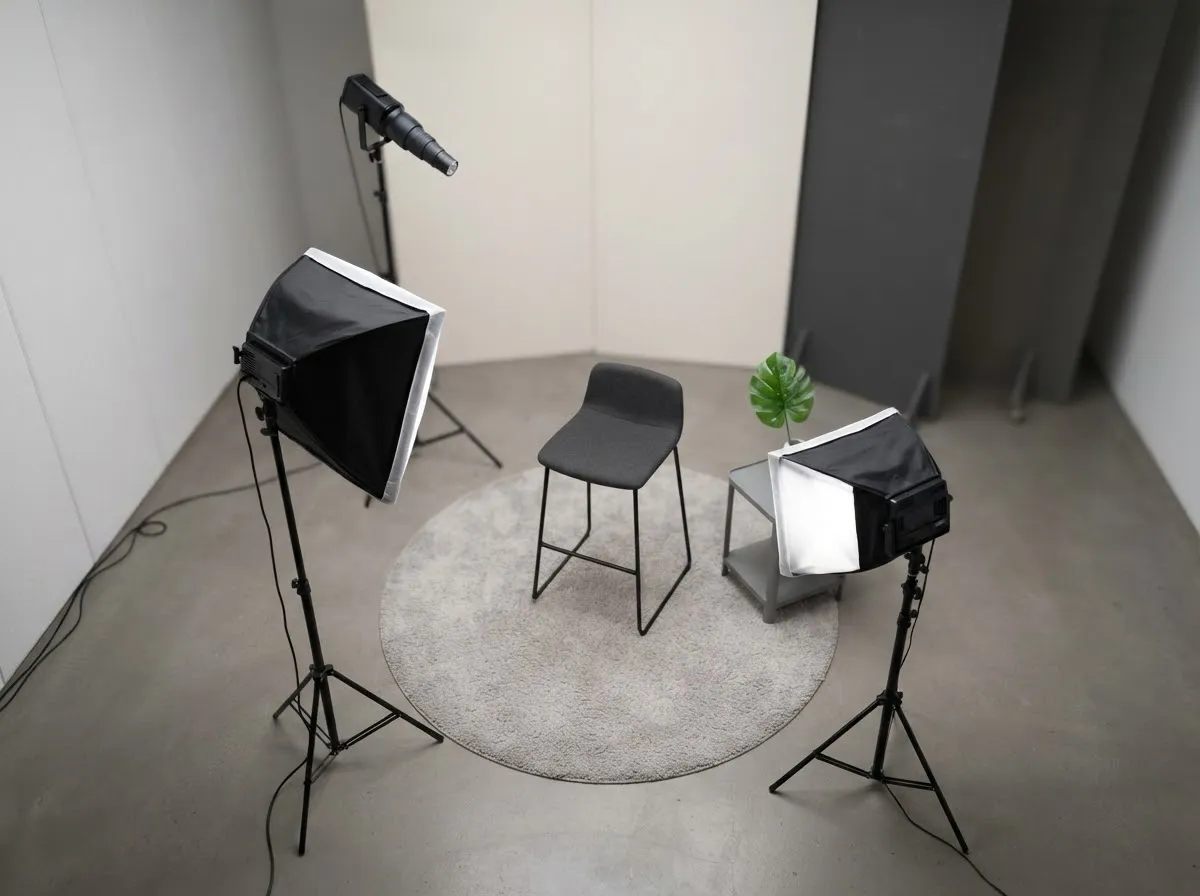
You can scale your talking-head rig based on your room size and budget:
- One-light setup (key + passive bounce): Position a large softbox or diffused LED panel 30 to 45 degrees to one side of the camera and slightly above eye level. Place a white wall or foam-core reflector on the opposite side to lift the shadow cheek. This is also the cleanest approach for YouTube lighting setup on a budget.
- Two-light setup (key + hair/background light): Add a second, smaller LED behind and above the subject aimed at the shoulders and hair, or aimed at the wall behind them, to create separation from a dark room.
- Three-light setup (key + fill + backlight): Replace the passive bounce card with a dedicated, dimmed fill light near the camera axis when you need precise control over shadow brightness, as shown in Godox’s three-point video lighting setup.
Positioning the key light for natural depth
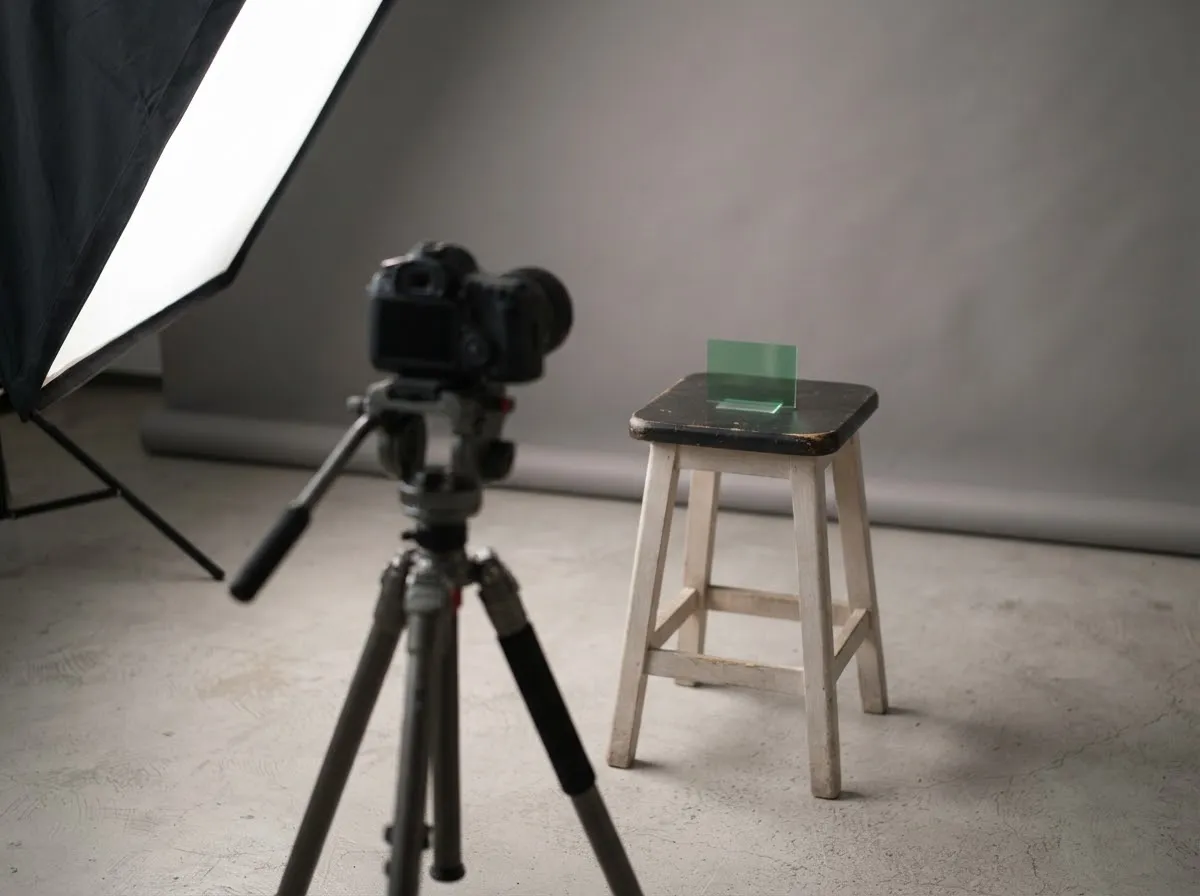
- Start at 30 to 45 degrees off-axis: Placing the key light directly next to the lens flattens facial contours; moving it 30 to 45 degrees to the side creates gentle modeling across the nose and cheeks.
- Raise it just above eye level: Angle the modifier slightly downward so catchlights stay visible in both eyes without casting long shadows across the mouth.
- Keep the modifier close: The closer the softbox sits to the speaker (just outside the camera frame), the softer the shadow transitions. Use our light distance exposure calculator to see how moving the light closer lets you dim the fixture while keeping exposure identical.
- Match color temperature: If a window is visible or contributing ambient light, set your LED to a daylight color temperature rather than a tungsten one so skin tones stay consistent.
Managing glasses, backgrounds, and flicker
- Eyeglasses: Reflections happen when the camera sits along the mirror-angle of the light hitting the lenses. Raising the key light slightly higher and moving it further to the side eliminates most lens glare; see our lighting for glasses on camera guide for exact angle fixes.
- Background separation: Keep the speaker several feet away from the back wall so the key light does not cast a sharp shadow behind their head.
- Flicker check: Always record a short test clip and inspect it at 100% zoom before rolling a full interview. If you see rolling bands, check your shutter speed against our LED flicker on camera guide.
- Simpler call setups: If you are lighting a desk webcam rather than a dedicated camera rig, compare our webcam call lighting tips and window light for video and calls guides.
- Safety note: Follow the fixture manufacturer’s manual for stand sandbagging, cable routing, and heat clearance, and consult a licensed electrician for any mains-wiring work.
Learn how Fiat Lux Guides verifies equipment specs and setup guidance in our fact-checking process.
Common questions
Can you light a talking-head video with just one light?
Yes. Place a single soft key light—such as a diffused LED panel, a COB light with a softbox, or a large window—at 30 to 45 degrees off the camera axis and slightly above eye level. Use a white wall or foam board on the opposite side as passive fill so the shadow side stays clean without buying a second fixture.
Where should the key light go for a talking-head interview?
Place the key light slightly above the speaker's eye line and angled 30 to 45 degrees to the left or right of the camera. If the subject is looking slightly off-camera at an interviewer, place the key light on the far side of their face (short lighting) to create natural depth.
How bright should the backlight be in a talking-head video?
Keep the backlight subtle—just bright enough to trace a thin highlight along the top of the hair and shoulders so the subject does not blend into a dark background. Overpowering the backlight creates a distracting bright halo that competes with the face.
Why does my talking-head video flicker under LED lights?
Flicker or rolling horizontal bands occur when a light's pulse rate does not align with your camera's shutter speed or frame rate. Matching your shutter speed to your local mains frequency (such as 1/50 or 1/100 second in 50 Hz regions, or 1/60 or 1/120 second in 60 Hz regions) helps with lights that flicker with the mains, and a fixed-frequency PWM dimmer needs a different fix, so see our flicker guide. and checking a test clip helps catch banding.
How do I keep a talking-head background from looking flat?
Pull the speaker several feet away from the wall so key-light spill does not create harsh background shadows, then use a practical lamp or low-output accent light behind them to add depth while keeping the face clearly brighter than the room.
What we checked
You might also like
- Video Lighting Setup for Calls and YouTube
Build a clean video lighting setup for calls and YouTube using window light or continuous LEDs, simple angles, distance control, and color matching.
- Green Screen Lighting: Even Backdrop, Clean Key
Light a green screen evenly and separate your subject from the backdrop to eliminate shadows, hotspots, and green spill for clean chroma keying.
- LED Flicker on Camera: Shutter Speed and Banding
Stop LED flicker and rolling-shutter banding in video and stills by matching shutter speed to 50 Hz or 60 Hz mains and using anti-flicker tools.
- Lighting a Small Home Office for Video
How to light a cramped home office or bedroom desk for sharp, flattering video calls and recordings without bulky stands or wall glare.
- Lighting for Online Teaching and Webinars
Set up comfortable, flicker-free, low-glare lighting for multi-hour online teaching, webinars, and livestreams with steady color.
- Lighting for Glasses: Avoiding Glare on Camera
Stop glasses glare on camera using the law of reflection: raise and angle your lights, adjust screen brightness, and use anti-reflective lens coatings.